I ditched Claude, ChatGPT, NotebookLM, and Perplexity for these free open-source tools
Up until a few years ago, an average person's subscription stack consisted of a music streaming app like Spotify or Apple Music, an entertainment app like Netflix or Amazon Prime, and some sort of cloud storage. Those were the basics, and then came in additional subscriptions like your fitness app, reading app, meditation app, maybe a second streaming service because that one show wasn't on the first one. And then OpenAI launched ChatGPT publicly, and before we know it, a new AI lab is popping up every other day and every single one of them wants around $20 a month from you. ChatGPT Plus. Claude Pro. Perplexity Pro. Gemini AI Pro. Cursor. Notion AI. The list goes on and on and on.
As always, the open-source community has been working day and night to build alternatives to a lot of these tools. They're completely free to use, come with no rate limits, no usage caps, no sudden price hikes, your data lives on your own device, and did I mention: they're completely free to use. Here are a couple of open-source apps that I've been using to replace just about every AI subscription I pay for.
Want to stay in the loop with the latest in AI? The XDA AI Insider newsletter drops weekly with deep dives, tool recommendations, and hands-on coverage you won't find anywhere else on the site. Subscribe by modifying your newsletter preferences!
Ollama
The easiest way to run AI models locally
ChatGPT, Claude, Gemini, Perplexity, and so on are all cloud-based. Every prompt you type, every document you upload, everything all gets sent to a server somewhere. It gets processed, and then eventually makes its way back to you. So, your data is essentially living on someone else's computer. And for that privilege, you're paying $20 a month per app, dealing with usage caps and rate limits that just so happen to kick in right when you need the tool the most, and trusting that these companies are handling your conversations, your documents, and your ideas responsibly.
With local LLMs, you get to escape all of that. Local LLMs are AI models that run directly on your computer's hardware, and you can use them at any time (even when you're offline), for free. No data leaves your machine, and you don't even need to bother dealing with creating accounts and APIs. Now, I'm not as well-acquainted with the self-hosting world as my colleagues at XDA. The very first time I self-hosted anything was a local LLM, and currently, I've been using Ollama.
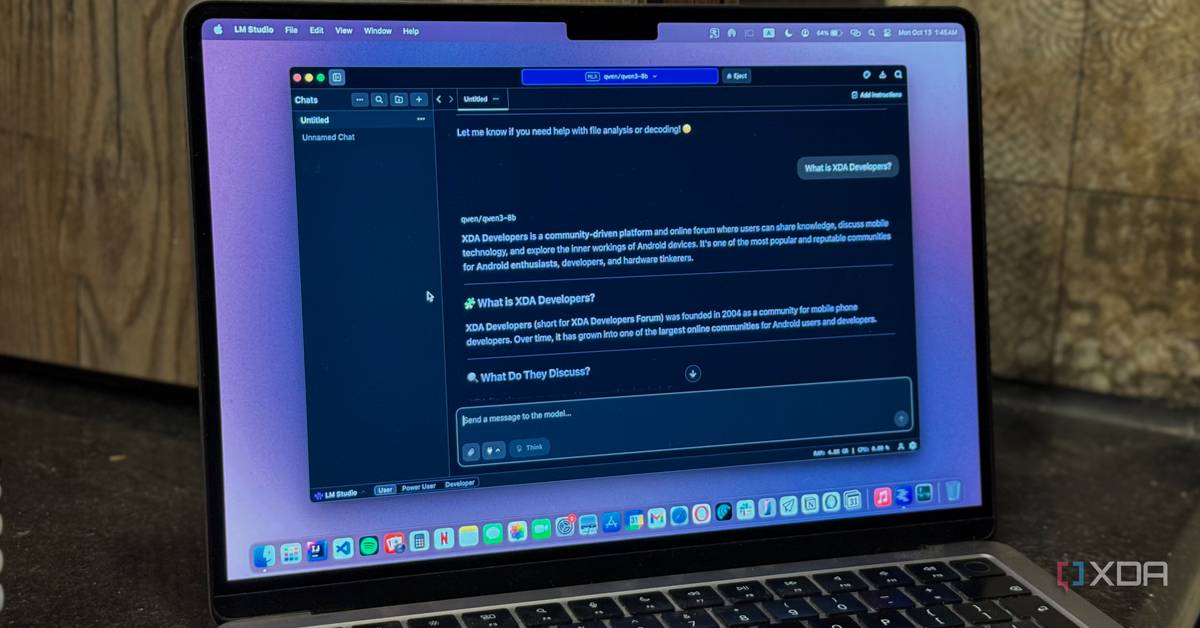
I've tried LM Studio too, and it lets you run any open-source model through a clean ChatGPT-like interface, but it isn't open source itself. Ollama is. It's MIT licensed, completely free, and runs on Mac, Windows, and Linux. The only trade-off is that it's CLI based, but given how much I've been using Claude Code, I'm pretty comfortable with it. This means you'll need to interact with it through your terminal instead of a fancy GUI. Past that though, I find Ollama the simplest way to run a local LLM. Once you've installed the Ollama app, you simply run a command like ollama run gemma3:4b in your terminal and that's it. The model downloads and you can begin chatting.
There's a massive library of models to choose from, and they come in different sizes so you can pick one that fits your device's hardware. For instance, I'm running Gemma 3 4B on my device. Models like these are perfect for cleaning up text, drafting quick emails, writing small code snippets, and so on. If you want a more visual, traditional AI-chatbot-like experience instead, you can pair Ollama with open-source frontends like Open WebUI.
Perplexica
An open-source alternative to Perplexity
Perplexity is a tool I've been using since it launched, and I tried an open-source alternative called Perplexica when it lost my trust a few months ago. Perplexity is an AI-powered search engine rather than a traditional AI chatbot where you ask questions and get an answer back, and its strength is searching the web in real-time. Perplexica is an AI search engine too, but it's completely open-source and works with local models through Ollama. The tool also supports AI providers like OpenAI, Anthropic, and Gemini.
You can also mix and match models depending on what you're doing. Similar to Perplexity, Perplexica is designed to search the web in real-time and pull information from multiple sources. The tool uses SearxNG, a privacy-focused metasearch engine, to aggregate results. Once the results are retrieved, the LLM you've connected it to synthesizes everything into an answer. The tool also has specialized focus modes like a general web search, academic, and even Reddit search!
You set it up through Docker, which sounds intimidating but is really just a couple of commands, and then you access it through your browser at localhost. Once it's running, the experience is genuinely close to perplexity, except your searches are private, your data stays local, and nobody's quietly sharing your queries with ad networks.
Open Code
The open-source coding agent for your terminal
Claude Code, Anthropic's terminal-based agentic tool, is hands-down my favorite AI tool lately. It lets you interact with your LLM (in this case, Claude's models) directly from the terminal, and point it to your codebase so it can read, edit, and run files with full context of your project. The problem is, it's tied to Anthropic. Not only does this mean you need to be a paid Claude user to even try out the tool, but it's also tied to Claude's models exclusively. OpenCode is the open-source alternative, and it works almost the same way. It supports over 75 LLM providers including local models through tools like Ollama and LM Studio.
The best part about OpenCode is that the entire experience is incredibly similar to Claude Code. Like Claude Code, it's a terminal-based AI coding agent and is fully capable of reading your codebase, analyzing it, editing files, running terminal commands, and more, all from your terminal. It also has all my favorite Claude Code features including Plan mode, which is a read-only mode that lets the tool think through the problem and come up with a full-fledged plan before writing a single line of code.
Subscribe to the AI newsletter for hands-on tool guides
Get more from open-source AI: subscribe to the XDA AI Insider newsletter for deep dives, tool recommendations and hands-on coverage that helps you discover, evaluate, and run the best local and privacy-focused AI tools.
Get Updates
By subscribing, you agree to receive newsletter and marketing emails, and accept our Terms of Use and Privacy Policy. You can unsubscribe anytime.
It also has a range of slash commands and supports custom commands that you can create as Markdown files. So, if you have a prompt you use all the time, you save it once and reuse it with a single command. It also supports MCP, which means you can connect it to external tools and services just like you would with Claude Code.
Open Notebook
If you've read any of my coverage before, you likely know the tool that made me believe that AI has a place in productivity was NotebookLM. It's the first proper introduction I had to RAG-based tools, and the ability to interact with your own documents is a major catch for me. But again, it's cloud-based, powered by Google Gemini, has limits, and every document you upload is sitting on Google's servers.
Open Notebook is the open-source alternative, and it follows the same concept. It lets you create notebooks for grounded querying, and lets you add a range of sources like URLs, PowerPoint, PDF, YouTube links, and more. The tool lets you take AI-powered notes, search through your notes, and even turn your notes into podcasts (just like NotebookLM). Of course, the biggest advantage is that you can choose your own AI provider. While it's still a relatively young project, it's already a very solid replacement for my NotebookLM workflow.
There are endless tools
Now, there are thousands of other open-source AI tools out there, and the ecosystem is growing every single day. The tools above are just the ones I've been personally using and can vouch for!