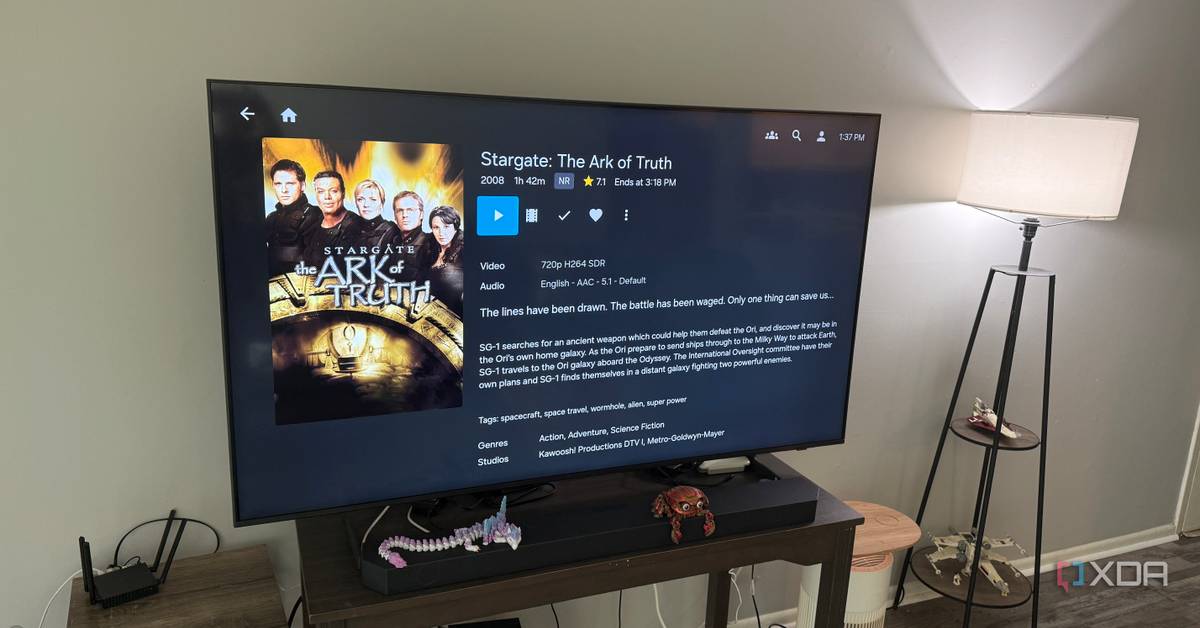
Running Jellyfin on a NAS with Docker support turned my media chaos into something that actually works
For a long time, my media setup felt like it had been built one compromise at a time. Storage lived in one place, streaming software lived somewhere else, and playback depended on which device I was using and whether the rest of the stack felt like cooperating that day. It all technically worked, but it never felt especially clean. There was always just a little too much friction between wanting to watch something and actually getting there.
Moving Jellyfin onto the NAS and taking advantage of its native Docker support pulled everything into a setup that finally made sense.
That changed once I stopped treating my UGREEN DXP4800 Pro NAS like a glorified file cabinet and started treating it like the center of the whole media experience. Moving Jellyfin onto the NAS and taking advantage of its native Docker support pulled everything into a setup that finally made sense. My Apple TV stayed focused on playback, Infuse stayed focused on being dead simple to use, and the backend stopped feeling like a tangle of half-connected systems. Best of all, the whole thing became something I could trust without constantly checking up on it.
Proxmox running Xpenology gave me the best of both worlds for my home NAS
Synology > TrueNAS > Synology.
Posts
By Rich Edmonds
Putting the streaming platform and the media in one place
Jellyfin works better when it lives beside the library
The biggest improvement was that Jellyfin finally stopped feeling like one more thing I had to manage separately. Before, the media library and the server software were part of the same overall setup, but they didn't really feel unified. One box stored the content, another handled the server side, and whenever something acted up, I had to stop and think through where the problem probably lived. That arrangement was functional, sure, but it always felt more fiddly than it should've.
Once Jellyfin lived directly on the NAS, a lot of that friction disappeared. The server and the library were finally sharing the same home, which made the whole setup feel much more deliberate. I was no longer bouncing between machines just to make a small change or chase down some tiny issue that shouldn't have been a whole thing in the first place. The media stack stopped feeling clever and started feeling organized, which is a much better trade.
That also made the setup easier to understand at a glance. I didn't have to think about which machine held the files and which machine made them usable. The NAS handled both jobs, and that made the whole system feel cleaner in my head. Instead of a chain of dependencies, I had a single central platform doing exactly what I needed.
Native Docker support turned the NAS into the right kind of hub
The supporting services finally lived where they belonged
A big part of why this worked so well is that Jellyfin wasn't the only thing I could run there. Native Docker support meant the NAS could host the services that make a modern media setup feel complete, rather than forcing me to scatter them across extra hardware. That cut down on the number of devices involved and made the overall layout feel much less patched together. Fewer boxes means fewer weird little responsibilities hiding in the corners.
That kind of consolidation matters more than it gets credit for. Every time a service runs on a different machine, you're adding another dependency, another update cycle, and another point where something can fail in a way that's just annoying enough to waste your evening. Home lab projects have a habit of sprawling over time, especially when it feels easy to toss one more task onto one more device. At some point, though, flexibility stops feeling smart and starts feeling like clutter.
This only works because the NAS does more than just storage. The real upgrade was not moving files onto the NAS. It was turning the NAS into the place where Jellyfin and the rest of the media stack actually live. Without Docker support and enough horsepower to back it up, this would have just been tidier storage, not a simpler system.
Running the important pieces on the NAS pulled the whole setup back into shape. When I need to check something, I know where to start. When I need to adjust something, I'm not tracing paths across half the network like I'm solving a very boring mystery. The media stack feels less like a pile of conveniences and more like a real system with a clear center.
My playback setup got easier because the NAS did more
Apple TV and Infuse could stay simple
One of the nicest things about this arrangement is that it lets my playback hardware stay in its lane. My Apple TV didn't need to become part of the infrastructure, and that's exactly how I like it. It exists to make watching media easy, and Infuse is a big part of why that works so well. It gives me a polished, low-friction way to access what I want without turning the living room into an extension of the server rack.
What changed was everything behind the screen. Because the NAS is now doing the heavier lifting with Jellyfin and the supporting containers, the Apple TV gets to remain the easy part of the chain. I'm not leaning on another always-on machine elsewhere to keep the whole system up, and I'm not relying on a more awkward path from storage to playback. The backend got smarter, which meant the frontend got calmer.
That split feels right in daily use. Infuse gives me the clean playback experience I want, while the NAS handles the work that should stay in the background anyway. I don't need the playback device to be clever because the system behind it finally is. That's a much better balance than the one I had before, and I notice it pretty much every time I sit down to watch something.
The DXP4800 Pro made this feel practical, not aspirational
Hardware transcoding gave the NAS real media server credibility
This setup also works because the NAS itself is capable enough to deserve the job. If I were trying to do all of this on a weaker box, the whole idea would feel a lot shakier. But the DXP4800 Pro has enough headroom to run the services I want and still feel like it's doing the work with purpose. That changes the experience from technically possible to actually pleasant.
The hardware transcoding capabilities are a big part of that. They give the system some breathing room and make Jellyfin on the NAS feel like a sensible choice instead of a compromise I'm forcing because it sounds tidy on paper. When a media server has enough muscle to handle the demands you put on it, everything downstream feels more stable. You stop wondering whether the box can keep up and start trusting it to do the job.
That trust is a major reason the setup feels simpler now. A NAS that can only barely manage the workload would still leave me second-guessing the whole arrangement. In this case, the DXP4800 Pro makes the concept feel justified. It's not just storing the library and hosting the software. It's actually capable of serving as a media platform.
There are still good reasons to keep services off the NAS
Consolidation is not always the smartest answer
To be fair, not everyone will look at this and come to the same conclusion. There's still a perfectly reasonable case for using the NAS strictly for storage and letting another machine handle streaming duties. That approach can give you more flexibility, make upgrades more modular, and reduce your dependence on a single device. For some setups, that separation is worth the extra complexity.
There's also the issue of risk concentration. The more roles your NAS takes on, the more important it becomes to your day-to-day setup. Reboots matter more, updates carry more weight, and downtime affects a larger portion of your system. A cleaner architecture on paper can sometimes mean a bigger headache if that one box has a bad day.
Cost matters too. A NAS that's comfortable running containers and handling media server workloads isn't the same as a budget enclosure whose only job is to hold disks. If someone only needs storage, there are definitely cheaper and simpler ways to get there. Not every media setup needs this much consolidation, and I do think that's worth acknowledging.
For me, easier maintenance mattered more than extra flexibility
The better setup was the one I stopped babysitting
Even with those tradeoffs, I'd still choose this route again without much hesitation. My goal wasn't to build the most flexible or most modular media stack. It was to make the setup easier to live with every day, and moving the center of gravity onto the NAS absolutely did that. I gave up some separation, but I gained a system that feels much more coherent.
That coherence is what really changed the experience. I'm no longer keeping a mental checklist of which box does what and which part of the setup needs to stay awake for everything else to work. Jellyfin lives where the library lives, the supporting services live right alongside it, and the playback devices simply benefit from that structure. The whole thing feels less fragile because it's so much easier to understand.
It also just feels more finished. Before, my media setup had the vibe of a project that happened to work. Now it feels like a real system, with a clear center and a clear path from the backend to the screen. That's the kind of simplification that matters long after the novelty wears off.
It finally feels like one system
What simplified everything wasn't just moving media onto the NAS. It was turning the NAS into the place where the streaming experience actually lives, with Jellyfin, support for Docker containers, and enough transcoding capability to make that consolidation feel like a strength rather than a gamble. My Apple TV and Infuse still handle playback the way I want them to, but now they're sitting on top of a backend that finally makes sense. That balance made the whole setup feel cleaner almost immediately.
I can still see why some people would keep storage and services separate, and in some cases, that'll remain the better call. But for my setup, pulling everything inward removed more friction than it added. I ended up with fewer boxes, fewer moving parts, and a much clearer understanding of how the whole thing fits together. That's what actually simplified everything.
UGREEN DXP4800 Pro
$720 $800 Save $80
CPU Intel Core i3-1315U
This NAS is powerful enough to be your entire media streaming stack and more.
Memory 8GB (expandable to 96GB)
Drive Bays 4 x SATA, 2 x M.2 NVMe SSD
Ports 1 x USB-C (10Gbps) 1 x USB-A (10Gbps) 1 x SD Card 3.0 1 x USB-A (5Gbps 2 x USB-A (480Mbps 2.GbE LAN 10GbE LAN
Caching 2 x M.2 NVMe SSD (up to 8TB)
OS UGOS Pro (Debian 12-based)
$720 at UGREEN $720 at Amazon
Expand Collapse